
Download Remote HoloAssist – remote assistance, hololens, augmented reality, live video sharing, tech support, expert guidance, troubleshooting, immersive experience, visual collaboration, AR support, remote expert, real-time guidance
Overview
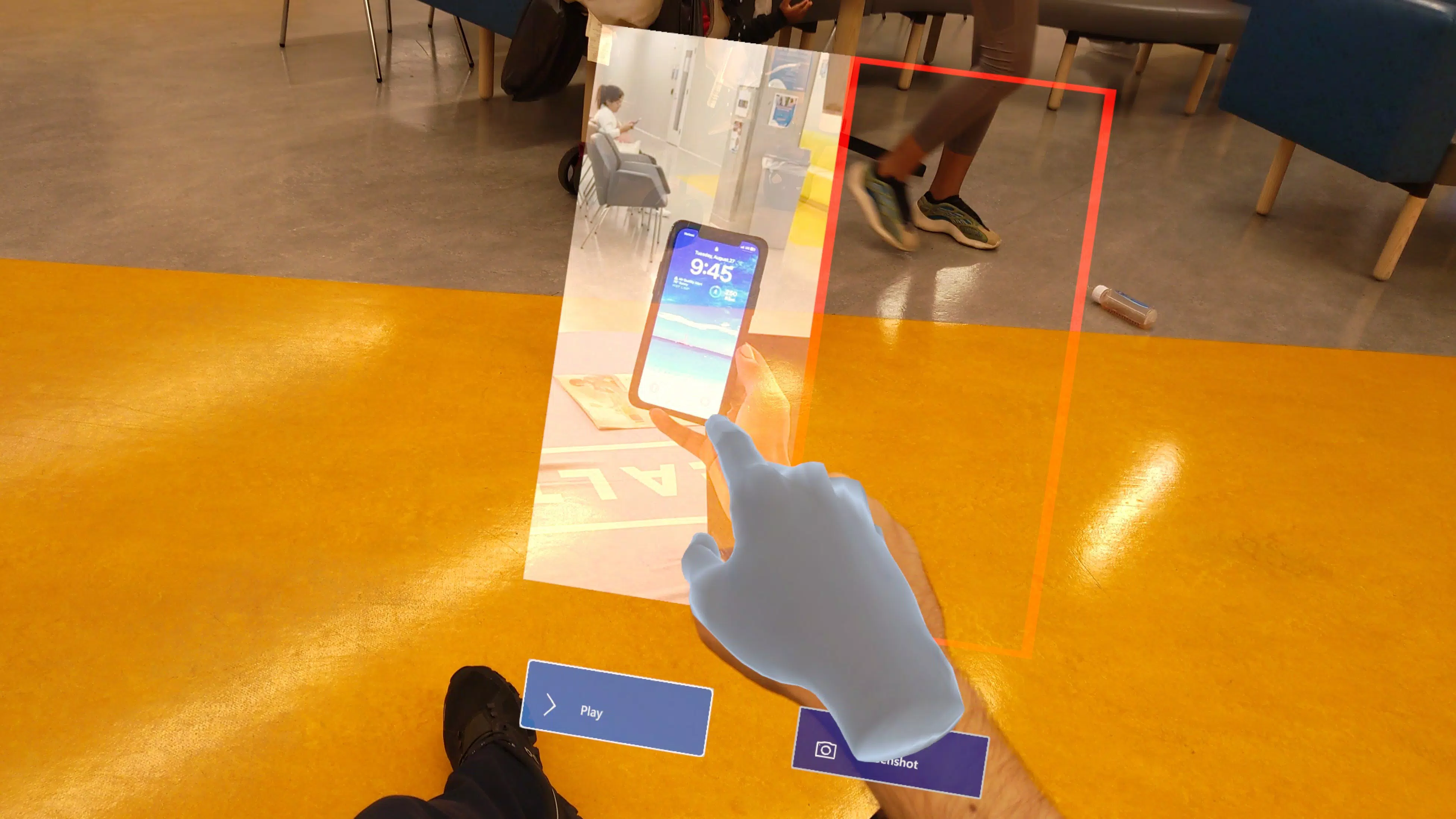
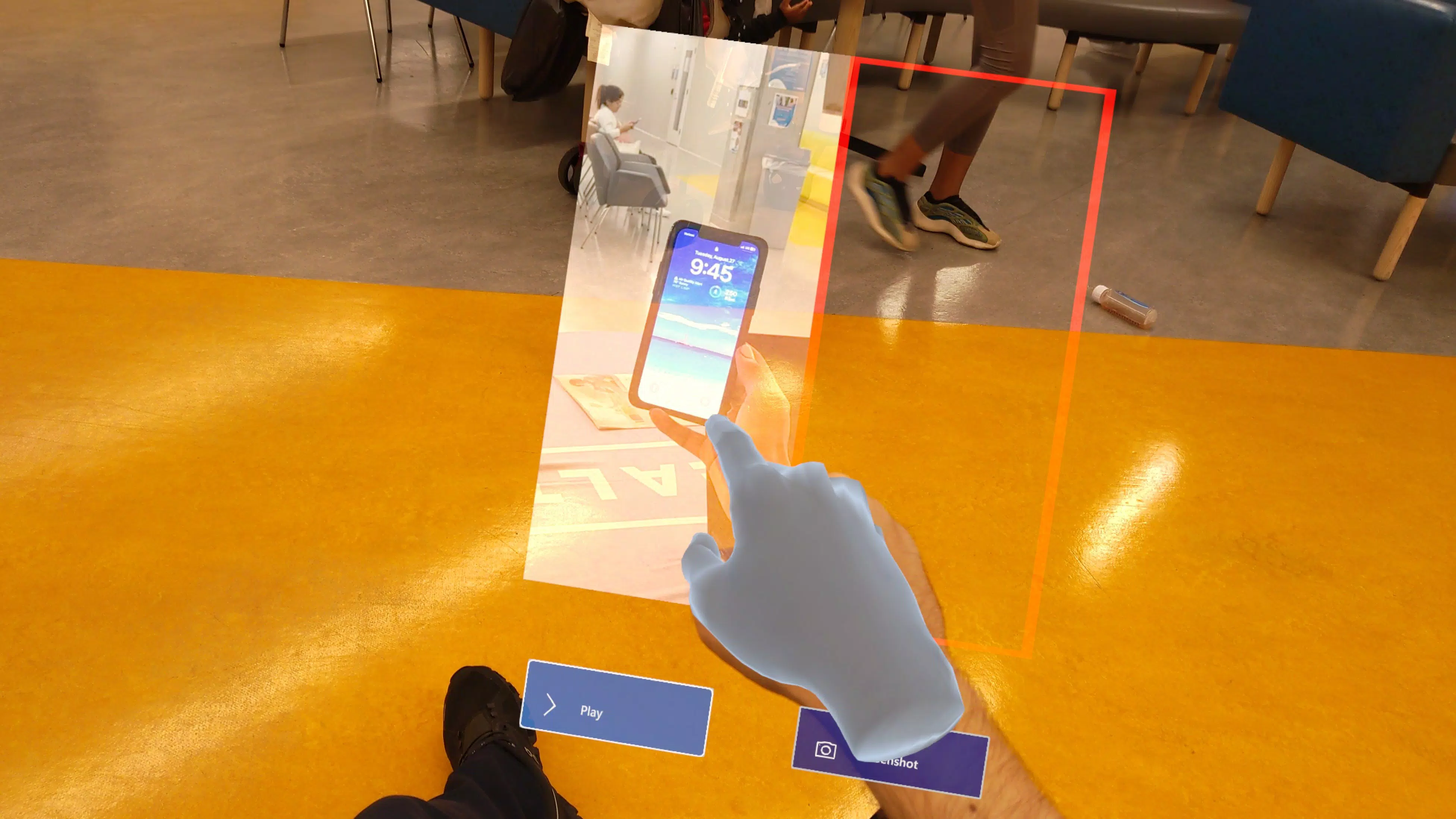
Remote HoloAssist is a specialized mobile application designed to bridge the gap between local users and remote experts through augmented reality (AR) collaboration. The app enables real-time visual sharing between a user operating a Hololens device and a remote assistant using a compatible interface, facilitating precise, immersive support. Its primary purpose is to streamline troubleshooting and guidance in technical, industrial, or complex operational environments where visual context is critical. By allowing a remote expert to see exactly what the on-site user sees, the app enhances accuracy, reduces response time, and minimizes errors during problem-solving.
The target users include field technicians, IT support professionals, engineers, and any individual requiring expert input in real-world settings where physical presence is impractical. The app is particularly valuable in scenarios such as equipment repair, software installation, or safety inspections, where visual clarity and immediate feedback are essential. While the developer, HoloAssist, is not described in further detail, the app’s focused functionality suggests a specialized approach to AR-enabled remote assistance. The integration with Hololens devices positions it as a niche but powerful tool within the productivity and AR ecosystem, offering a new standard for remote collaboration.
Remote HoloAssist contributes to the growing trend of immersive remote support, where digital tools replicate in-person expertise. Its use of live video sharing and AR interaction creates a more intuitive and effective support experience than traditional phone or chat-based methods. The app fills a specific need in high-stakes environments where precision matters, making it a valuable asset for organizations seeking to improve operational efficiency and reduce downtime.
Key Features & Functionality
- Live Video Sharing: The app enables the local user to stream their real-time visual feed from a Hololens device to a remote expert. This feature allows the assistant to see the exact environment, equipment, or interface the user is interacting with, which is essential for accurate diagnostics and guidance.
- Hololens Integration: Designed specifically for Hololens, the app leverages the device’s AR capabilities to overlay annotations, pointers, or digital cues directly into the user’s field of view. This integration enhances the remote expert’s ability to guide the local user through complex steps.
- Seamless Connectivity: Remote HoloAssist establishes a stable, low-latency connection between the local and remote users. This ensures uninterrupted video transmission and responsive interaction, which is critical during time-sensitive troubleshooting tasks.
- User-Friendly Interface: The interface is designed to be intuitive, allowing both local users and remote operators to navigate the app with minimal training. Simple controls reduce cognitive load, enabling users to focus on resolving issues rather than mastering the tool.
- Dedicated Support App: The remote expert uses a separate, dedicated access app to connect and assist. This separation ensures secure, managed sessions and helps maintain clear role differentiation, improving workflow efficiency and session control.
For example, a technician repairing industrial machinery can stream their view to a remote engineer who can then draw digital arrows or highlight components in real time. Similarly, a software developer troubleshooting a complex setup can receive step-by-step visual instructions from a remote mentor. These use cases demonstrate how the app transforms remote assistance into a collaborative, immersive experience.
Interface, UX & Performance
Remote HoloAssist features a clean, minimal interface optimized for clarity and ease of use. The layout prioritizes essential controls—such as connect, disconnect, and video feed display—ensuring that users can initiate and manage sessions without confusion. The visual style is functional, with high-contrast elements and intuitive icons, minimizing the risk of user error during high-pressure support scenarios.
Navigating the app is straightforward, with a logical flow from session initiation to real-time collaboration. The app maintains consistent responsiveness, allowing smooth transitions between actions. Although the developer did not list formal performance metrics, the app’s focus on real-time video sharing suggests optimization for low-latency transmission, which is critical for maintaining immersion and usability.
Performance across device categories is not specified, but the app’s lightweight size of 24.3 MB indicates efficient resource usage. This makes it suitable for a range of Android devices, including mid-tier models. Stability during extended sessions is implied by the seamless connectivity feature, though no user-reported issues or crash statistics were provided. Overall, the UX design reflects a strong emphasis on usability and reliability in mission-critical environments.
Platform Compatibility & Technical Requirements
Remote HoloAssist is available on the Android platform and requires version 1.0.2 of the app. The file size is 24.3 MB, indicating a compact and efficient installation. The app is designed to work with Hololens devices, which are not standard Android smartphones, suggesting that the app functions as a companion tool for AR headsets rather than a standalone mobile utility.
The developer did not specify minimum OS requirements or compatibility details beyond the platform. This lack of clarity means users should verify device compatibility before installation. Additionally, while the app is built for Android, the full functionality relies on the Hololens ecosystem, which may require additional software or hardware components not included in the app package. The absence of iOS availability is not confirmed, but the current platform focus remains Android.
Pros and Cons
Pros
- Enables real-time visual collaboration via augmented reality.
- Specifically optimized for Hololens, ensuring strong AR integration.
- Streamlined interface reduces training time and operational friction.
- Secure, dedicated access for remote experts enhances session control.
- Lightweight size (24.3 MB) ensures efficient use of device storage.
Cons
- Requires Hololens hardware, limiting accessibility to users without AR headsets.
- Platform availability is restricted to Android, with no confirmation for iOS.
- Specific system requirements were not disclosed.
- Price point of $2.99 may be considered high for a niche utility.
- Remote expert must use a separate access app, increasing setup complexity.
FAQ
Is Remote HoloAssist available for iOS devices?
The developer has not confirmed iOS availability. The app is currently listed for Android only.
Do I need a Hololens device to use Remote HoloAssist?
Yes. The app is specifically designed to work with Hololens devices, which are required to access its full functionality.
Can I use Remote HoloAssist without a remote expert?
No. The app is built for two-party collaboration. It requires a remote operator using a dedicated access app to provide assistance.
Is the app secure for sensitive technical support sessions?
The use of a dedicated access app and secure connection suggests a managed, controlled environment, though specific security protocols were not detailed.
How often does Remote HoloAssist receive updates?
The app’s version is 1.0.2, but update frequency is not specified by the developer.
Final Thoughts
Remote HoloAssist stands out as a specialized, high-precision tool for remote technical support in AR-enabled environments. Its integration with Hololens devices and focus on live video sharing make it ideal for professionals in engineering, IT, and industrial maintenance. While its niche audience and hardware dependency limit broad appeal, the app delivers significant value where visual accuracy and real-time guidance are essential.
For organizations investing in AR technology, Remote HoloAssist offers a streamlined way to enhance remote collaboration and reduce on-site support costs. Its intuitive design, secure workflow, and efficient performance make it a reliable choice for mission-critical tasks.
Download Remote HoloAssist now


